Features
Powerful tools that transform your professional photography workflow
Tethered Shooting Mode
View photos on a large screen instantly as you shoot. Dramatically improve your studio workflow.
- Real-time photo transfer with auto-display
- Full-screen display mode
- Instant review with clients
- Seamless workflow without interruptions
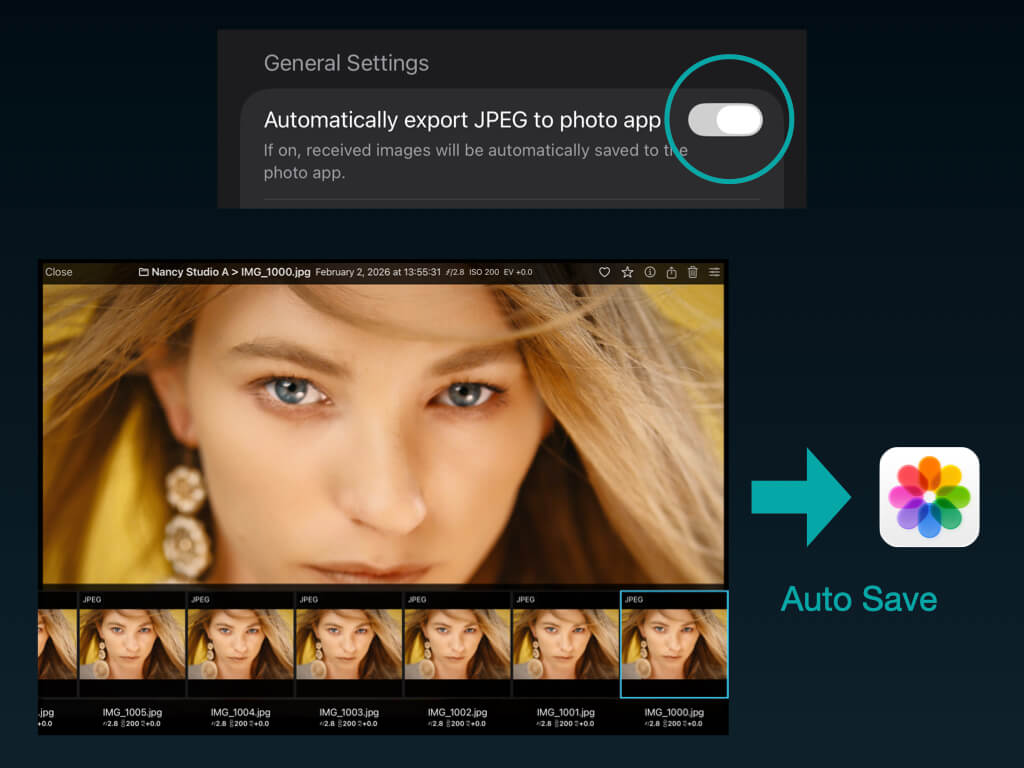
Auto Add to Photos
Received photos are automatically saved to the iOS Photos app. Your existing photo workflow stays intact — edit in Lightroom, share via AirDrop, or back up to iCloud, all without extra steps.
- Automatically saves to Photos when received
- Works seamlessly with Lightroom, Snapseed, and other editors
- iCloud Photos backup — no extra setup needed
- One toggle in Settings — Pro plan
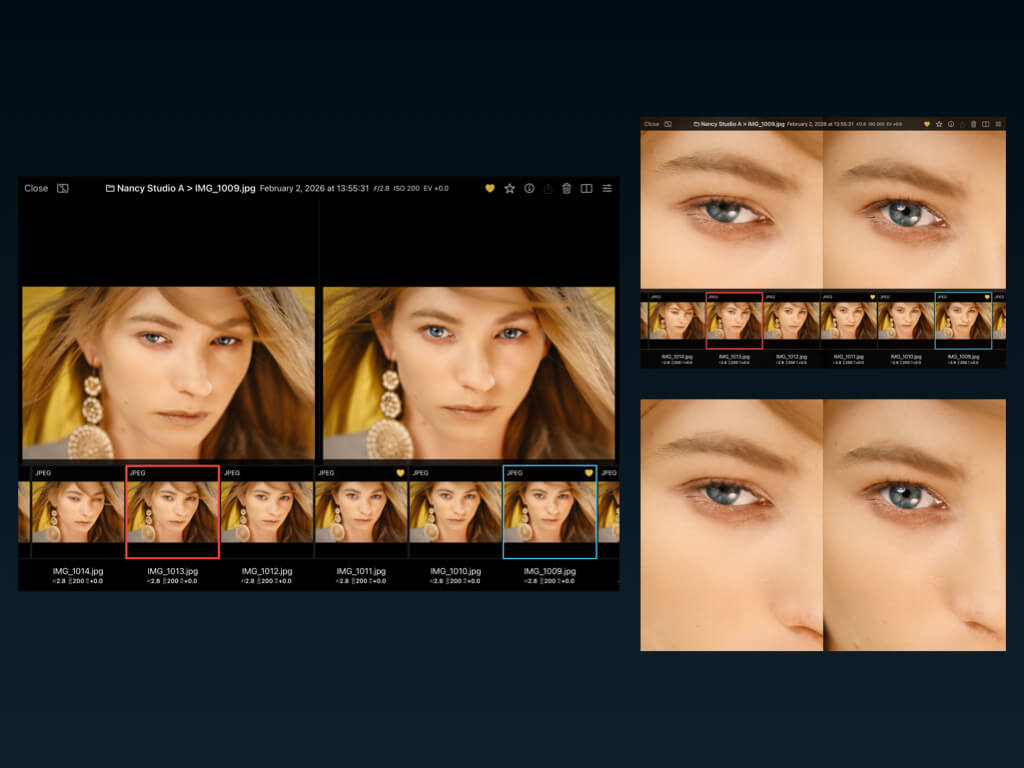
Advanced Photo Viewer
All the tools professionals need for photo review. Check every detail with confidence.
- Pinch to zoom up to 5x
- Keep zoom position across photos
- EXIF display (ƒ, SS, ISO, lens info)
- Full-screen mode
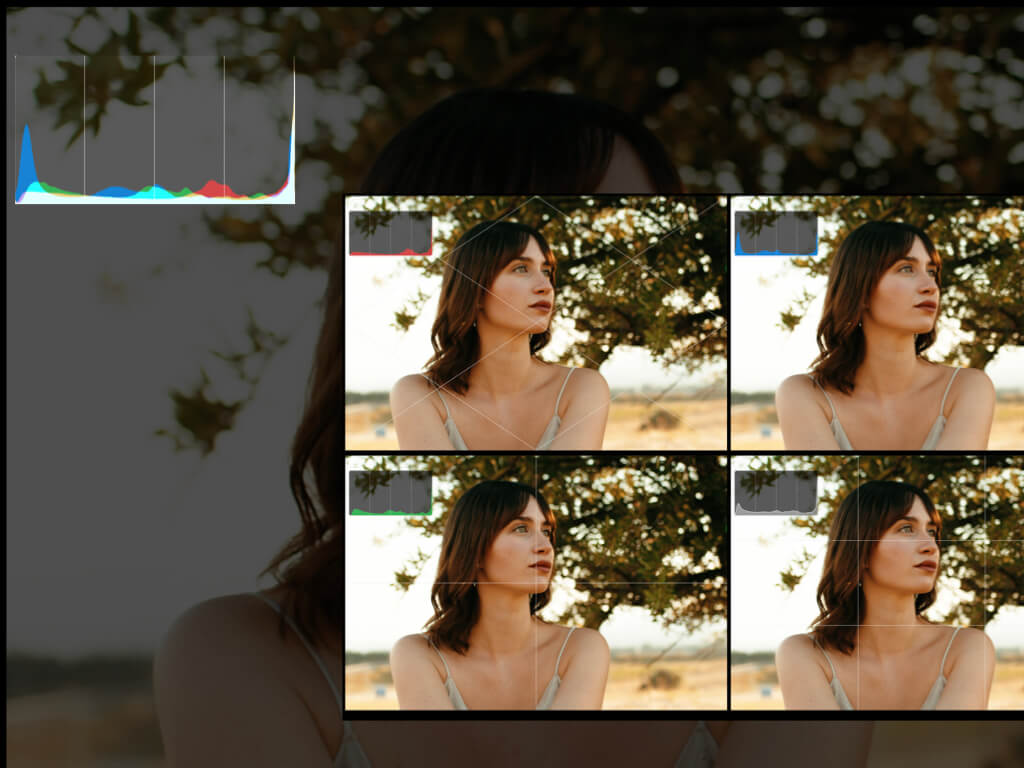
Shooting Assist Tools
Complete toolkit from composition guides to histograms for your shooting needs.
- Composition guides (rule of thirds, quadrants, diagonals)
- Histogram with 6 modes (Colors, Composite, R, G, B, Luminance)
- Draggable histogram — position it anywhere
- Customizable line width (0.5-5pt) and color
A/B Compare
Compare two photos side by side. Quickly select your best shots.
- Side-by-side display (horizontal/vertical)
- Synchronized zoom (compare same areas)
- Rate while comparing
- Perfect for client reviews
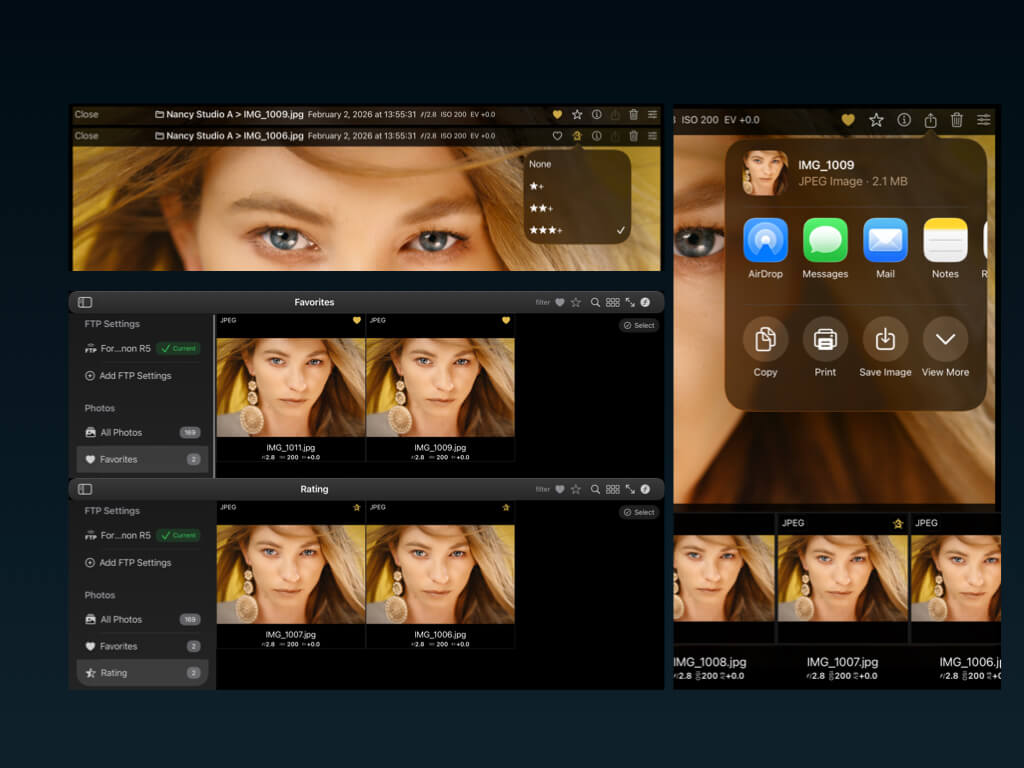
Photo Management
Rating, filtering, export. Everything you need for photo management in Fotra.
- 3-level star rating system
- Filter by favorites and ratings
- Search by filename and metadata
- Share via AirDrop/other apps (JPEG/RAW)
File Backup
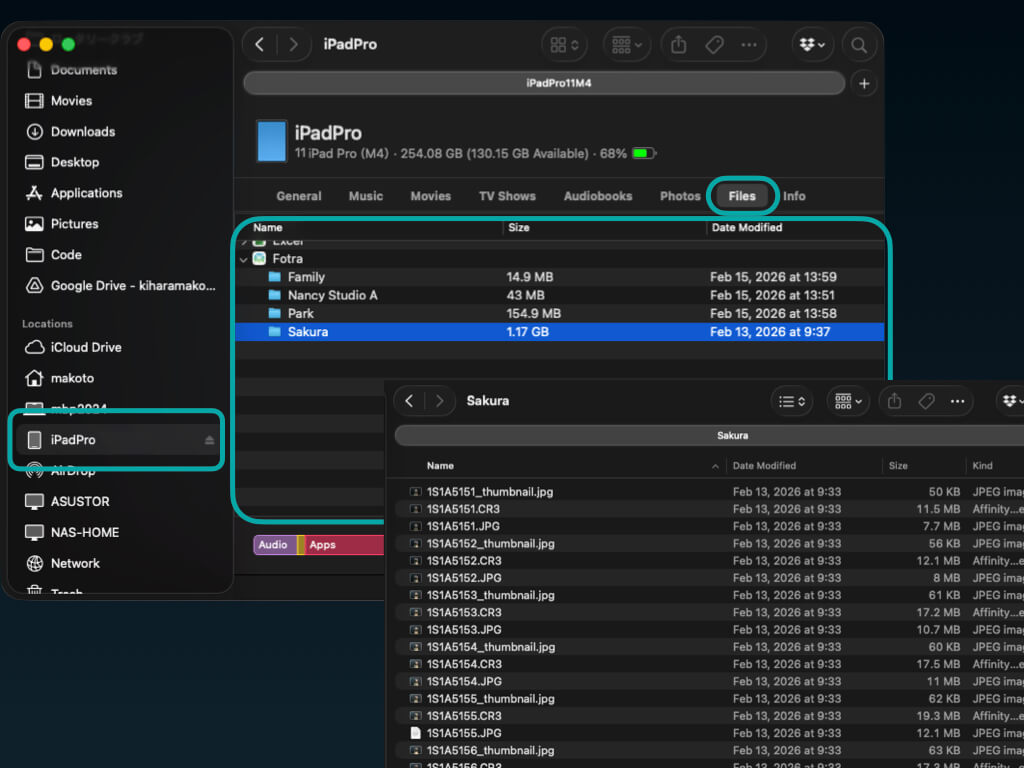
Easily import your photos to a Mac or PC via Finder (macOS) or File Sharing. A simple way to back up your work without relying on cloud storage.
- Access photos directly from Finder or Files app
- Connect iPad to Mac/PC via USB and access in Finder
- Back up RAW and JPEG files to your computer
A _thumbnail.jpg is automatically generated for each photo
FTP Server
Turn your iPad into an FTP server. Receive photos wirelessly directly from your camera.
- One-tap server start/stop
- Fast Wi-Fi transfer (JPEG/RAW)
- View and edit connection details
Compatible Cameras
Works with major cameras featuring FTP transfer
Canon
- EOS R1
- EOS R5 / R5 Mark II
- EOS R3
- EOS R6 / R6 Mark II
- EOS-1D X Mark III
Nikon
- Z9
- Z8
- Z6 III
- D6
Sony
- a9 III
- a1
- a7R V
- a7 IV
* Any camera with FTP transfer capability can be used, including models not listed above.
Ready to Shoot Smarter?
Start for free with up to 20 photos, then upgrade to Pro for unlimited access.